


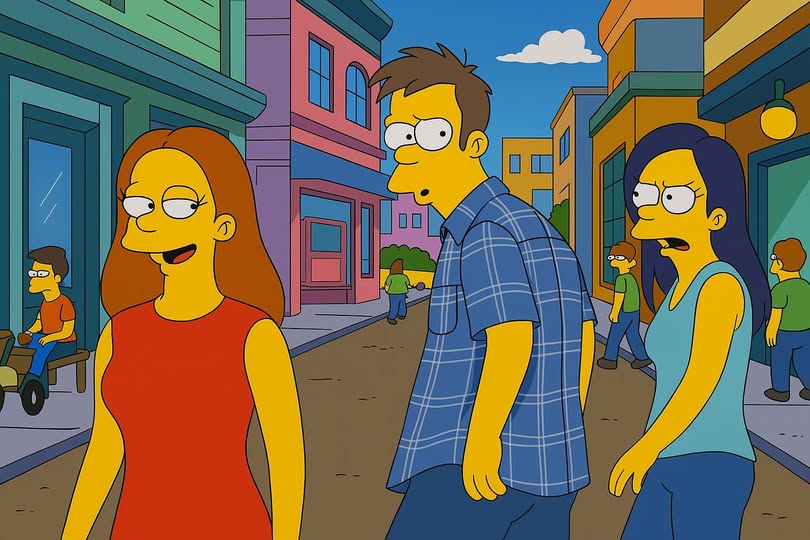
The latest version of ChatGPT, GPT-4o, created by the company OpenAI, allows you to convert your own images to “Simpson mode”, to imitate the style of the well-known series originally drawn by Matt Groening.
This is one of the new capabilities of this application, which was announced on March 25 by the company’s CEO, Sam Altman: “We’re launching something new today: Images in ChatGPT! (…) It’s an incredible technology/product. I remember seeing some of the first images come out of this model and couldn’t believe it was made with AI. We think people are going to love it and we’re excited to see the resulting creativity.”
Text prompts just replaced hours of ComfyUI workflow setup. Drop your pic in GPT-4o, type “turn us into Roblox characters” or “make us GTA extras” or “Simpsonize this” and boom – done.
These multimodal AI systems are getting scary powerful while most people aren’t even paying… pic.twitter.com/aiNjYhKzfk
— Michael Ehrlich (@squirtgunher0) March 26, 2025Anticipating the controversy this new technology could generate due to the wide variety of images it generates, Altman clarified OpenAI’s approach:
“We believe putting this intellectual freedom and control in the hands of users is the right thing to do, but we’ll see how it plays out and listen to society.” In this regard, he emphasized: “We believe respecting the broad boundaries that society will eventually choose for AI is the right thing to do, and increasingly important as we move toward AI.”
The “Simpson mode” was accompanied by the “Muppet mode” and the “Ghibli mode”, with which users can replicate their own images in the style of the famous puppet show or the legendary Japanese animation studio created by Hayao Miyazaki, something that surely did not please the 84-year-old Japanese cartoonist, who already at the dawn of this technology called images generated by AI “an insult to life itself”.
If today's 𝕏 was a Simpsons Episode. Via the new native image generator in ChatGPT. Long thread pic.twitter.com/lU9Oo7Bo9i
— Rodrigo Bressane (@bressane) March 26, 2025However, the technology is already available, and both free and paid ChatGPT users can generate their images in the style of these iconic programs. However, they should be aware that generating each image with AI uses a huge amount of electrical energy, so it is best to use the tool responsibly. Creating a single image with AI can consume as much electricity as half a smartphone charge, and making 1,000 the equivalent of charging 522 phones, according to a paper published in May 2024 by Alexandra Sasha Luccioni and Yacine Jernite of the American AI company Hugging Face, in collaboration with Emma Strubbel of the Allen Institute for Artificial Intelligence.
How to make images with ChatGPT’s “Simpson mode”
- 1. Open ChatGPT: You need to have the latest version of the app on your phone or access it from a browser.
- 2. Upload an image: Click on the “+” icon and then on the “Upload files from your computer” option. After this, you can upload the photo you want to adapt.
- 3. Enter the prompt: This is the text you use to give instructions to the chatbot. In this case, you can write “convert this image to the Simpsons world” or something similar, depending on what the AI responds.
- 4. Generate the image: This is the chatbot’s turn; ChatGPT takes between 30 seconds and a minute to replicate the prompt.
- 5. Download and share: The resulting image can be saved for use as desired.